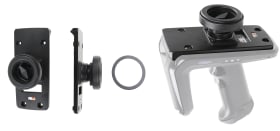
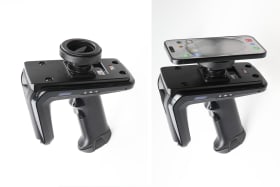
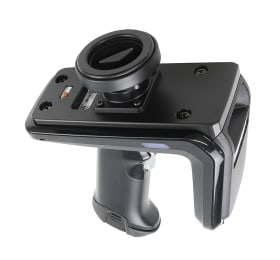
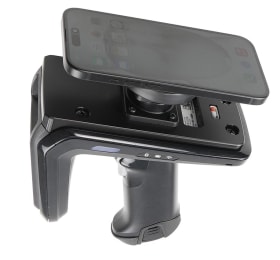
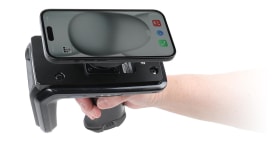
With Magnetic mount, compatible with Apple MagSafe devices. Also includes one metal ring for not MagSafe compatible devices.
Keep your phone mounted on your RFD40 using a magnetic mount. The mount features strong magnets that securely hold your phone in place. It is compatible with MagSafe devices. For devices that do not support MagSafe, use the included metal ring, which can be easily attached with adhesive.
The mounting plate is equipped with a tilt swivel that allows you to easily adjust the angle. To adjust it, simply turn the knob on the tilt swivel counterclockwise to loosen it, then turn it clockwise to tighten it again so the tilt swivel stays firmly in place.
The tilt swivel tilts 17° and swivels 360°. Mounting plate 42x50 mm with AMPS-holes. Made of high grade black ABS/Acetal plastic. Made in Sweden.
Please read all of the instructions and look at the pictures before attaching the mount.
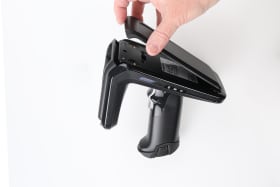
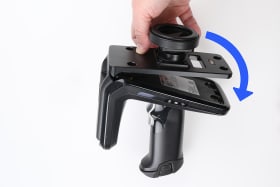
1. Loosen RFD40 Top Cover: To install this adapter, remove the top cover plate on the RFD40 RFID Reader. Once loose, the top cover can be removed completely and set aside for any future needs.
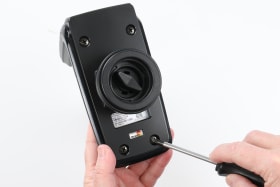
2. This adapter plate is designed to fit into the RFD40 exactly to seal the product and securely fasten to it. Align the 4 screw holes with the top of the RFD40. When aligned, gently press the plate into place. The O-ring will provide a small amount of resistance as it settles into position.
3. Using the 4 included fasteners, secure the plate to the RFD40 with a Philips #1 screwdriver. Note that the fasteners should only be tightened to finger tight. To adjust it, simply turn the knob on the tilt swivel counterclockwise to loosen it, then turn it clockwise to tighten it again so the tilt swivel stays firmly in place.
4. The mount is in place.
Shop safely and securely