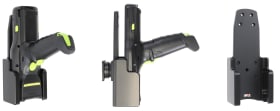
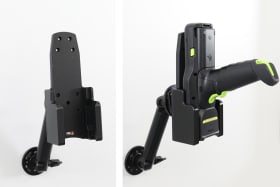
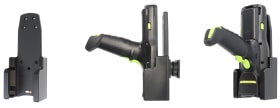
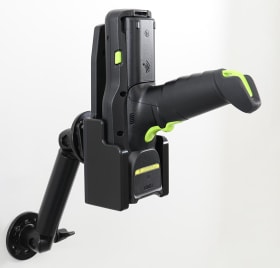
For devices with pistol grip. Device placed face down/in in holder.
Have your device in easy reach in a holder, efficient and safe all work day! Brodit holders provide a neat and professional installation of your devices. Custom made holder with a perfect, firm fit for device with pistol grip. The device is placed face downward/inward in the holder, easy to insert/remove with a one-hand grip.
The holder is equipped with a tilt swivel so you can easily adjust the angle. Tilts 17° and swivels 360°. Mounting plate 42x50 mm with 4 mm AMPS-holes. Made of high grade black ABS/Acetal plastic. Made in Sweden. Attach onto a Pedestal Mount.
Please read all of the instructions and look at the pictures before attaching the holder.
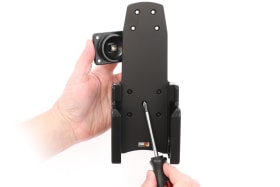
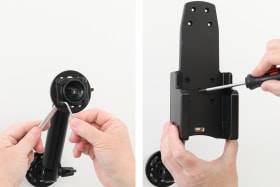
1. Loosen the screw in the center of the holder so you can remove the tilt swivel attaching plate on the back.
2. Place the attaching plate onto the desired position. Screw the attaching plate into place with the enclosed screws. Place the holder over the attaching plate so the screw fits in the hole in the tilt swivel. Tighten the screw so the holder is firmly in place, but still can be adjusted.
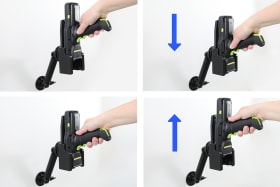
3. Put the device in place: Hold the device above the holder. Slide/press it straight downward into the holder, so it is porperly held in place.
Remove the device: Pull the device straight upward, out from the holder.
4. The holder is in place.
Shop safely and securely