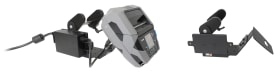
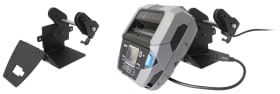
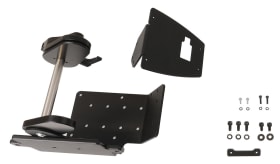
Printer mount with label roll function. For stationary rollers with max outer diameter 127mm, inner diameter 25mm. AMPS/VESA75 holes.
Simplify and optimize the installation of your printer with Brodit’s table stand printer mount. Designed for both functionality and convenience, Brodit mounting solutions help create a more efficient and organized work environment. The mount accommodates 127 mm large rolls of labels/media. Designed for attachment of power supply box, providing for a secure and stable installation.
With VESA75 and AMPS standard hole patterns for easy attachment options. Manufactured from metal, very strong and sturdy construction. Color: black. Made in Sweden.
Please read all of the instructions and look at the pictures before attaching the product.
1. Attach the face plate onto the mount with the included screws. Place the printer on the table with backside facing upward. Thread the cable through the hole in the face plate and adjust the mount position so the four screwholes match. Place the distance piece into the space between the mount and the printer.
2. Attach the mount onto the printer with the included screws.
NOTE: It is important to position the screws correctly as shown in the picture:
- The long screws must be screwed near the edge of the mount/printer, through the distance piece.
- The short screws must be screwed into the center of the mount/printer.
3. Hold the power supply box by the side of the mount so the holes match. Attach it into place with the included screws. Connect the cable to the printer.
4. Pull down the lever and turn it sideways to freely adjust its position. Release the lever back upward into original position and turn it counter clockwise direction to loosen/adjust the label roll sidewall position, or clockwise to lock it. If necessary, pull the lever down again and turn to a new position. The product is in place.
Shop safely and securely