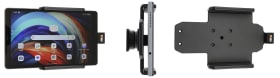
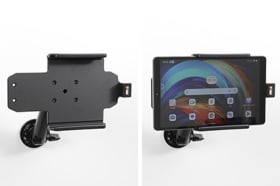
With your tablet in a holder attached in your car you will always have it within easy reach in the car. Safe, neat and convenient! You can connect e.g. a charging cable to the device when it is in the holder.
The holder is equipped with a tilt swivel so you can easily adjust the angle for better viewing. Tilts 17° and swivels 360°. Mounting plate 42x50 mm with 4 mm AMPS-holes. Made of high grade black ABS/Acetal plastic. Made in Sweden.
An installation of a tablet onto a vehicle’s dashboard is always done on the customer’s own responsibility. Brodit recommends to use tablets on the car’s headrest, installed onto a Brodit headrest mount.
Please read all of the instructions and look at the pictures before attaching the holder.
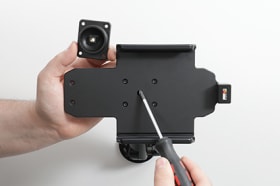
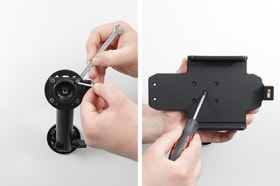
1. Loosen the screw in the center of the holder so you can remove the tilt swivel attaching plate on the back.
2. Place the attaching plate onto the desired position. Screw the attaching plate into place with the enclosed screws. Place the holder over the attaching plate so the screw fits in the hole in the tilt swivel. Tighten the screw until the holder is firmly in place, but still can be adjusted.
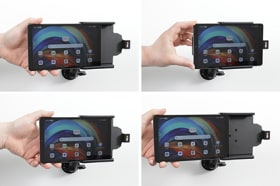
3. To place the device in the holder: Slide the device sideways into the holder until you hear / feel it snaps into place. To remove the device from the holder: Slide the device sideways and out.
4. The holder is in place.
Shop safely and securely