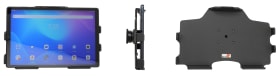
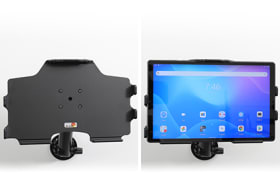
This holder is the perfect choice when you want to have your device installed in place and easy accessible.Safe, efficient and convenient! You have full access to the camera,scanner, buttons and ports while docked. Easy one-hand insertion and removal.
The holder is customized with a perfect fit for bare devices (not for case). With tilt swivel, you can easily adjust the angle for better viewing. Tilts 17° and swivels 360°. Attach the holder onto any flat surface, mount or Pedestal Mount in any vehicle, table top or other location. Mounting plate 42x50 mm with 4 mm AMPS-holes. Made of high grade black ABS plastic. Color: Black. Made in Sweden.
Choose installation placement with care, devices must not be placed in positions where they may block the view or important controls. The holder should only be attached onto a suitable place. Installations always take place at the customer's own discretion and responsibility.
Please read all of the instructions and look at the pictures before attaching the holder.
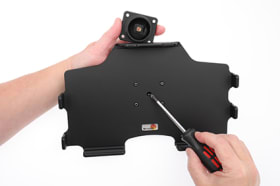
1. Loosen the screw in the center of the holder so you can remove the tilt swivel attaching plate on the back.
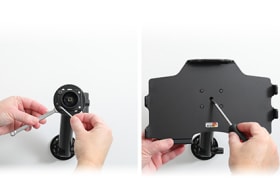
2. Place the attaching plate onto the desired position. Screw the attaching plate into place with the enclosed screws. Place the holder over the attaching plate so the screw fits in the hole in the tilt swivel. Tighten the screw until the holder is firmly in place, but still can be adjusted.
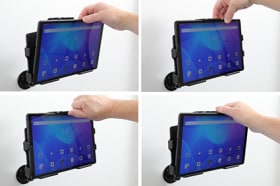
3. To place the device in the holder: Place the lower part of the device in the holder, then flip/press the upper part forwards so it snaps into place in the holder. To remove the device from the holder: Press upwards on the upper part of the holder, in the same time pull the upper part of the device out from the holder and then lift the device up and out from the holder.
4. The holder is in place.
Shop safely and securely